
|
Averting Disaster - A Guide To Computer Backups (2014)
Posted by Donster on: 2014-05-24 09:55:54 in category: How To Guides [ Print ]

By Brett Howse @ AnandTech
We all store more and more of our lives in digital form; spreadsheets, résumés, wedding speeches, novels, tax information, schedules, and of course digital photographs and video. All of this data is easy to store, transmit, copy, and share, but how easy is it to get back?
Read on...
News Source: Email
Updated: Tuning Cool'n'Quiet: Maximize Power And Performance Part 2
Posted by Donster on: 2010-03-25 15:29:00 in category: How To Guides [ Print ]
By Arnawa Widagda @ Tom's Hardware
In Part 1, we showed you how to optimize the settings of your Cool'n'Quiet-equipped processor and what sort of power benefits you could expect as a result. Now it's time to run the benchmarks and see how our optimized settings actually perform.
Editor's Note: This story first went live in November of 2009. After its publication, we went back and forth with AMD's power experts, discussing some of the conclusions drawn. With feedback from AMD, we've retested to clarify where optimizations are most likely to be made. We've also addressed a problem with Cool'n'Quiet observed in the previous piece, which turned out to be caused by an implementation of the technology, rather than the technology itself. Special thanks to AMD for its input.
Read The Updated Part 2 Review Here
News Source: Email
How to Stay Productive while Trapped in a Snowed-in Car
Posted by Donster on: 2009-12-10 16:14:18 in category: How To Guides [ Print ]

Author: Jonathan Hung @ PC Perspective
When disaster strikes, will you rise to the occasion? PC Perspective gives you this (questionably) insightful guide into surviving a snowed-in car, while still maintaining your ability to work or play with your gear.
Read on...
News Source: Email
Tuning Cool'n'Quiet: Maximize Power And Performance, Part 2
Posted by Donster on: 2009-11-20 17:05:26 in category: How To Guides [ Print ]
By Arnawa Widagda @ Tom's Hardware
In Part 1, we showed you how to optimize the settings of your Cool'n'Quiet-equipped processor and what sort of power benefits you could expect as a result. Now it's time to run the benchmarks and see how our optimized settings actually perform.
Read The Review Here
News Source: Email
Tuning Cool'n'Quiet: Maximize Power And Performance, Part 1
Posted by Donster on: 2009-11-16 16:48:58 in category: How To Guides [ Print ]
By Arnawa Widagda @ Tom's Hardware
Think your Athlon or Phenom processor is already tuned to deliver the best balance between performance and power consumption? Think again. We show you how to tweak Cool'n'Quiet for even more aggressive speed at maximum efficiency using several AMD CPUs.
Read The Review Here
News Source: Email
How To Guide: Overclocking the Radeon HD 4770
Posted by Donster on: 2009-05-01 15:57:28 in category: How To Guides [ Print ]
By: Hilbert Hagedoorn @ GURU3D
Being a budget card with a lot of punch, overall performance is to be found in the mid-range segment. We here at Guru3D.com would like to teach you how to get more out of your 99 USD investment. In fact we'll show you how to get another 10 to 20 percent additional performance out of the card, totally free.
Learn How Here
News Source: Email
How to Guide: Zero Moving Parts PC – Totally Silent Computing
Posted by Donster on: 2009-04-20 14:56:23 in category: How To Guides [ Print ]
Author: Andrew Jones @ TweakTown
A powerful system with smooth HD playback capabilities and not a single moving component! – We show you how it’s done.
Read The Article Here
News Source: Email
How To Install/Remove Intel Socket 1366 CPU and Heatsink
Posted by Donster on: 2009-03-25 15:33:23 in category: How To Guides [ Print ]
By M. Page @ PCSTATS
We thought we'd run off a quick DIY Guide illustrating the procedure for installing a socket 1366 CPU for the benefit of our readers. If you are planning on building a Intel based computer anytime soon, bookmark this PCSTATS DIY Guide now...!
Read on...
News Source: Email
Liquid Nitrogen and Dry Ice CPU Cooling Insulation Guide
Posted by Donster on: 2009-03-16 16:46:27 in category: How To Guides [ Print ]
Written By: Chris Morrell @ Legit Reviews
Today we will take you through the steps of a method for insulating motherboards against the harsh elements they are exposed to during extreme overclocking. We'll be insulating the board for liquid nitrogen benching and we'll show you how effective this insulation method is in preventing harmful condensation from forming on the board.
Read on...
News Source: Email
Build Your Own SATA Hard Drive Switch
Posted by Donster on: 2009-02-26 15:47:03 in category: How To Guides [ Print ]
By Charles Morse @ ExtremeTech
If you've ever wanted to boot multiple operating systems without dealing with tedious BIOS setup changes, then this SATA switch may be just the ticket.
Learn How Here
News Source: Email
Pacify Your PC - Got Water Cooling? Pt. 6
Posted by Donster on: 2008-12-09 14:59:51 in category: How To Guides [ Print ]
HEXUS has released its next show in the "Pacify Your PC" video series. Quiet PC's Paul Lee talks to us about water cooling and the way forward if you want silence and better cooling performance than just air...
Pacify Your PC - Video 6
News Source: Email
Pacify Your PC - How to Make Your Machine Nearly Silent - Pt. 5
Posted by Donster on: 2008-12-02 15:34:24 in category: How To Guides [ Print ]
HEXUS has released its next show for the "Pacify Your PC" video series. In this show, Quiet PC's Paul Lee shows an impatient Nick how to assemble his pacified gaming PC... It's the final assembly!
Pacify Your PC - Video 5
News Source: Email
Pacify Your PC - How to Make Your Machine Nearly Silent
Posted by Donster on: 2008-11-19 16:37:04 in category: How To Guides [ Print ]
HEXUS has put together a new video series featuring Paul Lee, from QuietPC, in which he talks you through the products you can use to make a noisy machine nearly silent. This is How To Pacify Your PC! Parts 1-4 are now available with at least one more available soon.
Pacify Your PC - Videos 1-4
News Source: Email
Beginners Guides: 101 Tech Tips and Tweaks for Windows XP
Posted by Donster on: 2008-10-23 15:35:27 in category: How To Guides [ Print ]
Source: HardOCP
PCStats has another one of their handy beginner’s guides posted today. Today’s 101 tech tips and tweaks for Windows XP guide has a little bit for everyone in it from novice to advanced users. Give it a look, see what you think.
Read on...
News Source: Email
Take Control of Your 4800 Video Card's Fan
Posted by Donster on: 2008-09-11 16:02:56 in category: How To Guides [ Print ]
Author: Kyle Bennett @ [H] Enthusiast
Many of our new Radeon HD 4800 series card owners are not happy with their GPU temperatures. Seeing it from a computer hardware enthusiast view, it is hard not to think the same. Whether or not idle GPU temperatures of 80°C are dangerous, us enthusiasts want that heat out of our cases. We show you how to easily do that.
Read on...
News Source: Email
Deciphering Windows Processes
Posted by Donster on: 2008-07-14 16:02:50 in category: How To Guides [ Print ]
Author: Jack Wells @ Techware Labs
Having trouble figuring out what process or application is causing your machine to slow down? Want to take a shotgun to the process eating up 90% of your CPU but you can't figure out how? Our resident windows guru Jack explains you how to use a simple program to find out what is causing your computer to slow down and get rid of it.
Read on...
News Source: Email
How To: Replace Memory Heat Spreaders
Posted by Donster on: 2008-07-03 14:55:15 in category: How To Guides [ Print ]
Give your RAM a new summer outfit! 
Author: Andrew Jones @ TweakTown
Welcome to another session of void-your-warranty, as today we take a look at upgrading stock heat spreaders on RAM.
Read on...
News Source: Email
3DMark Vantage - A User Guide
Posted by Donster on: 2008-04-28 15:50:54 in category: How To Guides [ Print ]
By Hilbert Hagedoorn @ GURU3D
It's that time of the year again, today FutureMark releases their latest installment in their "3DMark" series, the 100% DX10 version 3DMark Vantage. As requirement for DirectX 10 you need to have Windows Vista installed and have a DX10 ready graphics card (preferably a very fast one).
We received the new benchmark software merely 24 hours to day meaning, we will only have a quick peek at the all new software. What we have for you is generic information, the download links from our file-servers and the 1st 3DMark Vantage results we made for you guys.
Read on...
News Source: Email
Beginners Guides: Stopping Vista From Thrashing Hard Disks to Death
Posted by Donster on: 2008-03-11 14:47:19 in category: How To Guides [ Print ]
Author: Mike D. @ PCSTATS
While your PC may be doing nothing, all of a sudden you notice the hard drives are trashing around like the entire drive is being copied. Never fear, PCSTATS is here to help you stop Windows Vista from excessive hard drive usage, and show you how to free up some disk space too!
Read on...
News Source: Email
The Tech Report's February 2008 System Guide
Posted by Donster on: 2008-02-29 14:23:41 in category: How To Guides [ Print ]
Source: Hot Hardware
Four systems builds are proposed by The Tech Report in their newest system guide. Everyone is covered from the budget conscious gamer to the gamer who can afford it all, as well as a powerful workstation that has more filling than an Oreo double stuff.
Read on...
News Source: Email
A Beginner's Guide to Overclocking
Posted by Donster on: 2007-12-20 15:35:15 in category: How To Guides [ Print ]
How to get your feet wet with Core 2 overclocking
By Geoff Gasior @ The Tech Report
PC enthusiasts have an almost compulsive desire to overclock, whether it's pushing chips to their limits or simply exploting the "free" headroom available with most budget CPUs. But where does one start? With our beginner's guide to overclocking, of course.
Read on...
News Source: Email
Getting the Most Out Of Your Hardware: Motherboard/CPU Utility Roundup
Posted by Donster on: 2007-12-12 13:38:22 in category: How To Guides [ Print ]
Author: Ryan Smith @ Anandtech
Lost but not forgotten, we're back again with the second part to our guide to software utilities for enthusiast hardware, this time taking a look at the motherboard & CPU side of things.
Read on...
News Source: Email
Maximum CPU Temperature
Posted by Donster on: 2007-10-11 15:02:18 in category: How To Guides [ Print ]
Author Gabriel Torres and Cassio Lima @ Hardware Secrets
Learn what is the maximum temperature your CPU can reach without burning and how to measure your CPU current temperature.
Read on...
News Source: Email
Pedal to the Metal: Overclocking the Athlon
Posted by Donster on: 2007-09-28 14:36:41 in category: How To Guides [ Print ]

Author: Atif Butt @ PC Perspective
Looking for a starting point in your venture to overclock the AMD Athlon processors? Even if you do so already, you'll surely find some helpful information in this guest writer's detailed article on the subject of overclocking.
Read on...
News Source: Email
How To: Overriding Image Quality Settings
Posted by Donster on: 2007-09-20 13:44:46 in category: How To Guides [ Print ]
By Joel Durham Jr. @ ExtremeTech
Driver control screens for both Nvidia and ATI hardware let you blow past in-game graphics settings to make the games look as splendid as your hardware will let you.
Learn how here...
News Source: Email
The CPU & Heatsink Lapping Guide
Posted by Donster on: 2007-08-27 13:36:47 in category: How To Guides [ Print ]
Author: graysky @ Tech ARP
There is another way to significantly improve our cooling capabilities without resorting to new coolers, thermal pastes or fans. In fact, you can use this technique to improve whatever cooling system you choose to use. All you have to do is lap.
Learn How Here...
News Source: Email
Is Your PC Ready for a System Update?
Posted by Donster on: 2007-08-25 13:25:08 in category: How To Guides [ Print ]
Dispose Or Recycle? How To Spend Your Upgrade Money
By Patrick Schmid, Achim Roos @ THG
Everyone talks about Intel's Core 2 Duo, terabyte hard drives and graphics hardware that is three generations ahead of yours. Is your system still good enough? Does it make sense to buy a new PC today? Or could a simple component upgrade provide similar benefits? The answer probably depends on how much you can afford to spend.
Read on...
News Source: Email
System Maintenance: Clean Desktop - Clean Performance
Posted by Donster on: 2007-08-01 14:40:51 in category: How To Guides [ Print ]
By Chris Adcock @ HardwareLogic
Henry David Thoreau once wrote, “Simplicity, simplicity, simplicity I say, let your affairs be as two or three, and not a hundred or a thousand; instead of a million count half a dozen, and keep your accounts on your thumb nail.” It’s advice that can not only make you feel better, but actually improve the performance of your system.
Read on...
News Source: Email
Removing Unnecessary Services in XP and Vista
Posted by Donster on: 2007-07-19 14:41:09 in category: How To Guides [ Print ]
Author: Alan McCloskey @ OCModShop
There are lots of little programs used by the Windows operating system that take up memory, waste disk space and CPU clock cycles. These programs are called "services" and include all kinds of things such as UPS support, Netmeeting, QoS packet scheduler, telnet, themes, and alot of other obscure things that the average user doesn't need.
Read on...
News Source: Email
PC Power Management Guide
Posted by Donster on: 2007-07-08 17:03:47 in category: How To Guides [ Print ]
Author: Cced @ Tech ARP
Have you ever wondered what all those C-state, P-state, S-state terms mean? Sure, you know they are related to power management in your PC, but what exactly do they do?
The PC Power Management Guide is here to answer all your power management questions. If you want to know what those terms mean, this is the guide for you.
Read on...
News Source: Email
Fixing Your Motherboard for $15
Posted by Donster on: 2007-05-18 15:16:03 in category: How To Guides [ Print ]
By Marcel Binder @ THG
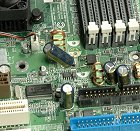
Leaked or burst capacitors will kill your system for sure. We show you how to exchange defect capacitors on a motherboard to revive your computer.
Learn How Here
News Source: Email
Graphics Card Repair Guide
Posted by Donster on: 2007-04-21 12:49:03 in category: How To Guides [ Print ]

Author: Empire23 @ Tech ARP
If your expensive graphics card ever pops a capacitor after its warranty expires, is that the end of the road? Fear not! All is not lost.
Let Empire23 show you just how you can turn your dead card into a fully-working graphics card. All you need are a few cheap tools and some chutzpah.
Read on...
News Source: Email
Top 12 Vista Tweaks
Posted by Donster on: 2007-04-17 14:33:37 in category: How To Guides [ Print ]

Author: Josh Norem @ [H] Enthusiast
So you've installed Vista, perhaps against your better judgment, and now you’re wondering what you can do to spruce it up a bit. We’re right there with you, and have poured over the Web looking for the coolest, most-useful tweaks we could find. We searched high and low, and completed this list of tweaks so that you did not have to. We have personally tested all of these tweaks and employ most of them on our own systems.
Read on...
News Source: Email
A Beginner's Guide For WaterCooling Your PC
Posted by Donster on: 2007-03-28 13:37:51 in category: How To Guides [ Print ]
By Don Woligroski @ THG
The term "liquid cooled" sounds automotive oriented, doesn't it? Indeed, liquid cooling has been an integral part of the common gasoline engine for the better part of 100 years. Which begs to ask, why is it the preferred method of cooling expensive automobile engines? What's so great about liquid cooling, anyway?
Read on...
News Source: Email
How To: Connect TiVo to Your Wireless Network
Posted by Donster on: 2007-03-03 16:51:28 in category: How To Guides [ Print ]
By Nino Marchetti @ Digital Trends
If you are reading this how-to guide then odds are you are either as a big a fan of TiVo as us or you soon will be. The freedom to thumb your nose at commercials as you whiz by them with your remote has created a revolution among television viewers. One of the key features of your TiVo is its programming guide, which is updated through a phone connection or network connection. Assuming you have a wireless network around your house, this is a great opportunity to harness the power of that network TiVo style. Besides programming data, you’ll also be able to download TiVo content and share recorded content with other TiVos and computers with TiVoToGo software installed.
Read on...
News Source: Email
The 20 Minute Guide to PC Security
Posted by Donster on: 2007-02-14 15:42:20 in category: How To Guides [ Print ]

By IT Security Editors
With over 140,000 known computer viruses and 85,000,000 spam emails sent out each day, the likelihood of your PC coming into contact with malware such as virsues, worms, and spyware is almost guaranteed. And once your computer becomes infected with malware, simple tasks such as browsing the web can be very frustrating as your computer's speed is drastically decreased -- that is if you can still connect to the internet at all. Given the prevalence of malware, the only real long-term solution is preventing it from infecting your computer altogether, but how?
Read on...
News Source: Email
Build a Windows Vista Upgrade Parachute
Posted by Donster on: 2007-02-07 15:33:37 in category: How To Guides [ Print ]
By Guy Thomas, Barry Gerber @ THG
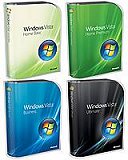
The purpose of this article is to guide you through the myriad options for upgrading to Windows Vista. My goal here is balance: I will not slavishly regurgitate Microsoft's hype, but neither will I join the growing army of Microsoft bashers.
Read on...
News Source: Email
Windows Vista Performance Guide
Posted by Donster on: 2007-02-01 14:18:44 in category: How To Guides [ Print ]
By Ryan Smith @ Anandtech
Even with a lengthy preview article, there is still a lot of ground to cover when taking a close look at the final release version of Windows Vista. We have attempted to create a comprehensive look at the new operating system, but even then there are still plenty of items that will have to wait for another day before we can truly evaluate them. The big question that almost everyone is going to want answered is pretty simple: should you upgrade to Windows Vista now or wait awhile longer? What's a question we hope to answer by the time we finish this article, so without further ado let's take a look at some of the new features.
Read on...
News Source: Email
TR's Windows Vista System Builders Guide
Posted by Donster on: 2007-01-31 15:35:43 in category: How To Guides [ Print ]
Recommendations for building the right enthusiast's PCs
By Cyril Kowaliski, Geoff Gasior, & Scott Wasson @ The Tech Report
WINDOWS VISTA IS FINALLY SHIPPING to consumers, and we've decided to refresh our system guide for the occasion. Not much has changed in the world of PC components since our December update, but we've nevertheless tweaked our recommendations with both Vista and recent price fluctuations in mind. Windows Vista requires new drivers, especially if you're looking to run the 64-bit version of the operating system, so we've scrutinized our hardware selections for proper driver support. And, of course, we've updated our operating system recommendations with info on the features available in each version of Vista and advice on which one might be right for your needs. Keep reading for our recs on building a killer PC for Windows Vista.
Read on...
News Source: Email
Building a Core 2 Duo gaming system for under $1000
Posted by Donster on: 2007-01-03 14:59:46 in category: How To Guides [ Print ]
By Steven Walton @ TechSpot
Therefore, today we have decided to try and create a high quality Core 2 Duo system using parts from well-known brand names, for under $1000. This time we are going to build the entire system from the ground up for under $1000 including a 19" LCD monitor. Given this system includes a Core 2 Duo E6300 processor, 1GB of DDR2 memory, a DVD recordable drive, Radeon X1950 Pro, 19" DVI 8ms LCD, 400GB SATAII HDD, ASUS motherboard along with case, keyboard and mouse, we think it is a pretty good buy.
Read on...
News Source: Email
Core 2 Duo Overclocking on the 680i
Posted by Donster on: 2006-11-27 15:29:59 in category: How To Guides [ Print ]

Make your CPU run up to 50% faster.
By Bennett Ring, IGN AU
What would you say if we told you there was a way to get your new Intel Core 2 Duo to run at speeds up to 50% faster than its current speed? And what if we told you that it would cost you the grand total of nil squared to make this happen? Sounds like a good deal, eh? Welcome to the world of overclocking.
Read on...
News Source: Email
Firefox 2.0 Tweak Guide
Posted by Donster on: 2006-10-25 15:04:48 in category: How To Guides [ Print ]

By Koroush Ghazi @ TweakGuides
The comprehensive Firefox Tweak Guide at TweakGuides.com has been completely revised for the release of Firefox 2.0. Everything in the guide has been retested, refined, and new tips, tweaks and details of the new features for Firefox 2.0 have been added. I strongly recommend that you start with a fresh install of Firefox 2.0 and then follow the guide from start to finish to get excellent results.
Read on...
News Source: Email
Cheap Thrills: Core 2 Duo E6400 Overclocked to 3.33 GHz
Posted by Donster on: 2006-10-10 15:37:02 in category: How To Guides [ Print ]
By Thomas Soderstrom @ THG
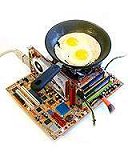
Great performance doesn't have to come with a big price tag. A little common sense and some tweaking allow an entry-level Core 2 Duo to break through performance barriers without breaking the bank.
Read on...
News Source: Email
How To Guide: Streamline Windows XP
Posted by Donster on: 2006-07-27 16:12:34 in category: How To Guides [ Print ]

By Jonathan Ng @ HardwareLogic
It's likely that your once fast and stable installation of Windows has become a fat lazy slob. Fortunately, by making a few user-level modifications and tweaks, the once lazy slob can be turned into a hard working triathlete.
Read on...
News Source: Email
Conroe Buying Guide: Feeding the Monster
Posted by Donster on: 2006-07-19 14:52:46 in category: How To Guides [ Print ]
By Gary Key & Wesley Fink @ Anandtech
How do you know what will work with the new chip, which motherboards to buy, whether value DDR2 will work, the advantages or disadvantages of top-end DDR2, available video options, hard drives to choose, and on and on and on. This guide was put together to help you navigate the new Conroe landscape. It has a clear bent toward motherboards and memory, which are critical to a good Conroe experience, but we will also venture into other areas in a later installment to help you find the best parts for your new Conroe rig. We hope we can make those choices a little more pain free.
Read on...
News Source: Email
Building a Better Budget PC
Posted by Donster on: 2006-07-10 14:10:09 in category: How To Guides [ Print ]
By Jarred Walton @ Anandtech
The debates about which CPU, graphics card, motherboard, etc. are the best options for each price point are seemingly endless. Even when there appears to be a clear-cut winner, price cuts, new products, and platform changes can shake things up. With AMD's launch of the unified AM2 platform, both AMD and Intel now have motherboards that can run everything from their lowliest budget processors up through the fastest dual core offerings. We haven't taken a serious look at benchmarking any budget offerings in a while, so this article is part Buyers Guide, part benchmarks, with a dash of overclocking thrown in for good measure. We'll save the recommendations for after the benchmarks, as that will hopefully provide us with the necessary information to make an informed decision on which budget platform is best.
Read on...
News Source: Email
Your DIY 4 GHz Dual Core Gaming Rig For $720
Posted by Donster on: 2006-06-12 15:22:19 in category: How To Guides [ Print ]
By Frank Völkel, Bert Töpelt, Daniel Schuhmann, Tom's Hardware Guide
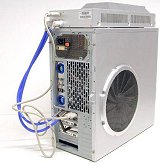
A build-your-own gaming machine with a dual-core CPU can not only beat the pants off other offerings, it can be a lot quieter and cheaper, too. We walk you through the assembly process and show how a lot of power can be had for as little as $720.
Read on...
News Source: Email
Hard Drive Buyer's Guide
Posted by Donster on: 2006-05-29 15:41:41 in category: How To Guides [ Print ]

By Andrew Gates @ The Tech Zone
Apart from being one of the most essential parts of your computer, hard drive storage is constantly updating. When it comes time to upgrade your disk storage, there are a number of factors for you to take into account.
Read on...
News Source: Email
Repairing Windows XP in Eight Commands
Posted by Donster on: 2006-05-17 15:38:02 in category: How To Guides [ Print ]
By Thrax @ ShortMedia
Allow me to build tension by prefacing the end-all/be-all solution with my background: Having worked for the now-incorporated Geek Squad branch of Best Buy Corporation for the better part of eight months, I have seen dozens upon dozens of systems come through our department with any one of these errors, brought in by customers who are afraid they did something, have a virus, or are in jeopardy of losing their data.
Read on...
News Source: Email
Beginners Guides: Diagnosing Bad Memory
Posted by Donster on: 2006-04-21 15:57:27 in category: How To Guides [ Print ]

By M. Dowler @ PCStats
In this short but sweet guide, PCstats will discuss the common symptoms of faulty memory as well as looking at a handful of free memory testing software programs which can help you diagnose your troubles. Faulty memory, or RAM, is often the cause of the dreaded 'flaky PC' syndrome, those hard-to-replicate errors that get you nasty looks from the store technician because "...nothing seems to be wrong with it. Sir."
Read on...