| Falcon 4.0: Multiplayer TCP/IP by Thomas "AV8R" Spann |
||||
|
Yes, the second coming has occurred - just in time for Christmas. After a 5 year development cycle, Microprose-Hasbro has unleashed what it calls the new benchmark in military flight simming: FALCON 4.0. Pull up a chair and lets go for a check out flight, and examine the online multiplayer features that this next generation Falcon has to offer. Many of the readers of CSIM are nuggets to this brother/sisterhood of virtual military flight simming. As for me, while I flew other flight sims previously, Falcon3 epitomized what a hard core flight sim should look and feel like (circa 1991-93). We are talking back when 286 and 386 Intel processors with 4mb ram were the pinnacle, and players were stuffing 600kb of program into the 640kb available of upper memory. This is back when the visionary Bill Gates was quoted as saying that 640kb is all any program would ever need!
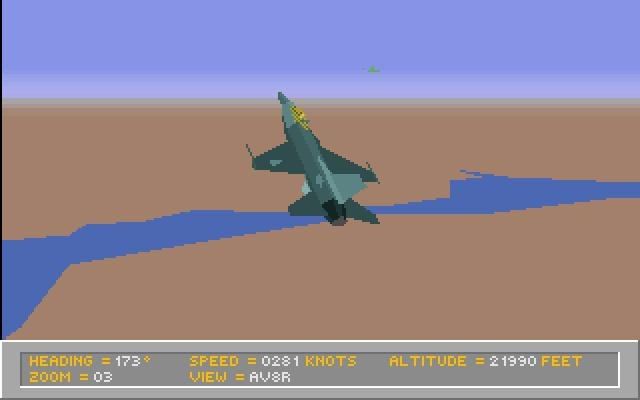
So before we go on our F16-C Viper online multiplayer check flight, let’s first pay our respects to Falcon4’s grand daddy Falcon3. Luckily, I still have my old 486 computer in working condition with F3 installed (remembering that QEMM stuff was a mind bender!) By seeing where we have come, and then seeing where we are, we can have a context to better appreciate what Falcon4 really means to many of us veterans. While I eschew marketing hype that bends the truth to get our hard earned bucks, I have equally little patience for those who discount the release of an instant classic because of a few bugs in it's infancy.
Just look at what was bleeding edge technology at the time. It took about 5 patches to get F3 to a state where it was a classic sim. With its modem land-line and LAN multiplayer features, F3 was destined for the hall of plane fame. The first wave of virtual squadrons and challenge ladders were established because of this product; I remember paying long distance bills to fly with buddies of mine. The Internet Era was a thing known only to the engineering community at the time. So for those of you that missed F3, you’ve missed the Orville Wright days of Multiplayer. But F3 also paved the way for the electronic battlefield concept and sported a MiG29 and F-18 Hornet with carrier operations! Hmm, shades of Back to the Future! For those of us that were excited when we saw the F3 demo in the stores back in the early ‘90s, that same excitement is present with the arrival of F4, only perhaps we have a little more perspective this time. Falcon 4.0 is the Second Coming of a classic, the missile-mounting mountain come to Mohammed, the pot of gold at the end... ok, let's get on with it!
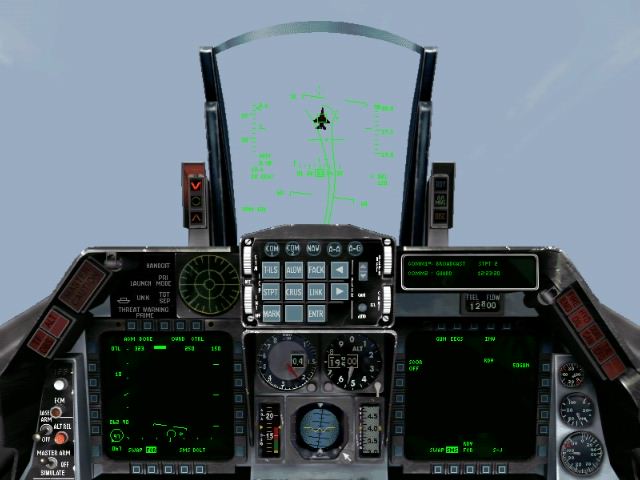
So why do I pontificate that F4 marks a new beginning? Because not only is it Falcon’s second generation, but what F4 offers in flight model, multiplayer potential, detailed functional cockpit, high tech padlocking, full real time war, ACMI recorder/player, add on planes, mission editing as well as top notched graphics and sounds place it in a class of its own. If you combine the best of Jane’s F15, Longbow II, and WW2 Fighters plus DiD’s TAW into one sim - only then would you be nearing what F4 has attempted to accomplish with one title. F15 has awesome wingmen comms, an excellent mission builder, and state of the art avionics; Longbow II has fantastic multiplayer features, great graphics and gameplay; Total Air War has a real time and fully dynamic campaign system, complete with an AWACS command chair (of these simulations only TAW offers ACMI, and it's far more limited than that of F4). Now let’s combine the thickness of all those other manuals as well! Good grief, F4 comes with a hefty 3 ring bound 600 page manual, and none of this is pages on pages listing weapon systems or aircraft statistics: that part is all online! While this may be terrifying for the weekend flier, there’s really no need to be. F4 offers invulnerability options to ease the learning curve, and can even be run in easy/relaxed modes so that everyone can enjoy what this sim has to offer. |
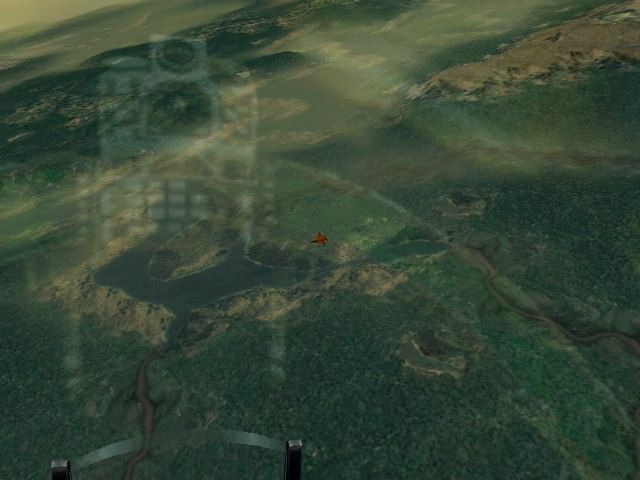
As you have seen over the last months, CSIM has hosted a score of reviews on the depth and breadth of what packs F4. So I’ll not go into campaigning, mission editing, ACMI, pilot logbooking, etc. What I want to do is take you on a pictorial ride with me in an online dogfight. This way I can report on the aspect of this game that I have not seen anywhere to date and address the question so many have: "does Falcon4 work online?" Let me forewarn the reader. If you think you’re going to fly this sim without reading the manual and communications handbook, you’re setting yourself up for hurt. F4 is not really a game or simulation in the usual sense: it's a faithful reproduction of a complex military platform called the F-16 C Viper. Therefore, oh brave heart, do Thy homework. And how pray tell do you digest a 600 page manual? Like the wise men say: the same way that you would eat an elephant: one bite full at a time, and savor it. This ain’t your little brother’s F-16 MRF! Multiplayer Features F4 only supports TCP/IP protocol, and not IPX. This does not mean that you cannot run multiplayer over KALI or a LAN, because both support TCP communications. All you need to have to get MP running is to get a buddy’s IP address and have a 28.8kbs connection, and use the TCP connection option. On the social simming community side of things, KALI supports TCP and you can successfully launch the sim from that environment using the LAN connection option. People were having success with 2 players using 28.8kbs, and some were able to even run COOP missions if they had V90, Cable, ADSL and ISDN bandwidths. Hardware wise, I’ve heard success stories with people running P166 CPUs with 32mb RAM and Voodoo2 Glide accelerators. I didn’t get more than 3 or 4 players in a dogfight and only 2 players in a TACTICAL mission. Campaigning never worked for me online.
After firing up Falcon4 (note: falcon.exe -hires issued on your START/PROGRAM command line with double the external graphics resolution, assuming your hardware can handle it, and -g2 will give you more detail options) you set up your graphics, sound, controller and pilot options. You should go next to TACTICAL ENGAGEMENT to get familiar with the cockpit and general flight procedures. (Note: there are stick files in the F4 installation, but CSIM also has some HERE for downloading). The next place for me was to check out the multiplayer features.
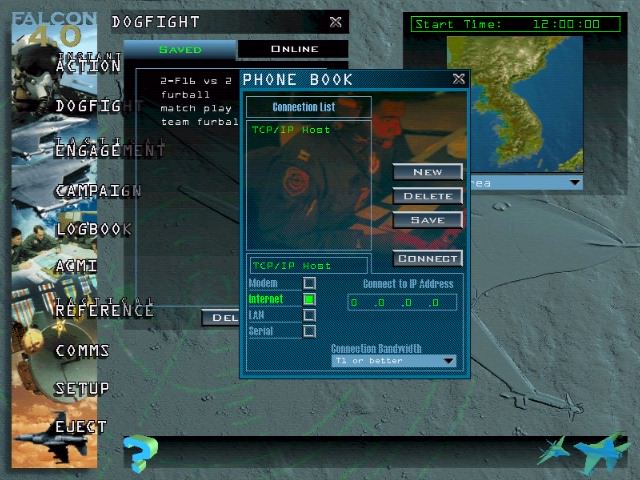
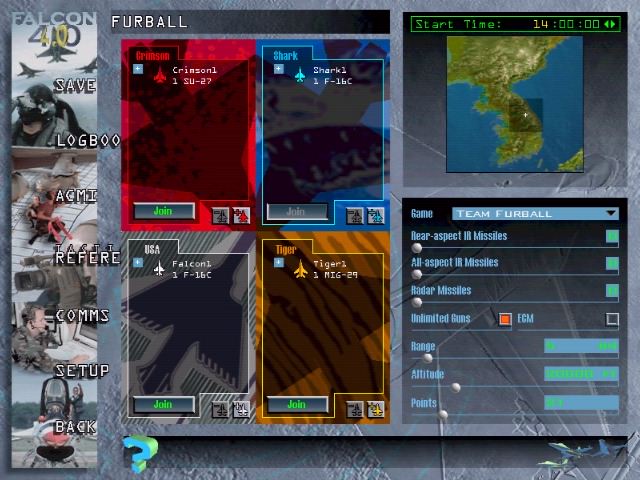
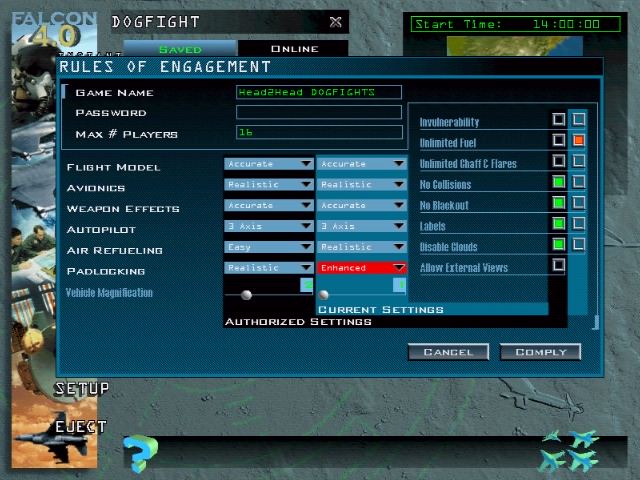
Let’s move on to running the GUI and on into the cockpit, shall we? In this review we will handle only the DOGFIGHT setup, and briefly outline the COOP TACTICAL MISSION procedures. Once you invoke the sim and get past the movie intro, you are in the main GUI window. From here it depends on whether you are hosting or joining a DOGFIGHT MP session. If you are hosting, its best if you go to COMMS before going into the DOGFIGHT mode. That way you can chat with those that are interested in your session and see if the connection is correct before you setup a dogfight scenario. From here the host picks the connection type and speed and starts the MP session.
The handbook does recommend that all players set their connection rate the same at 57kbs and work it down as needed to get the best game play (i.e. least amount of warp - erratic positional displacement of the aircraft). My recommendation is to let the fastest CPU computer serve that also has the fastest connection rate (i.e. bandwidth, like Cable). Then lower the host’s bandwidth setting in F4 until you reach the least warp due to unequal data overflow to slower systems. This is an iterative process if you want to tune the best setup. No one said making a virtual LAN (or internet WAN) was going to be without its challenges!
Go to Part II
|
|||
|
© 1997 - 2000 COMBATSIM.COM, INC. All Rights Reserved. Last Updated November 12th, 1998 |
||||